5 Technical SEO Mistakes Slowing Your Site
In 2026, technical SEO is the difference between ranking and invisibility. Here's my complete guide to the behind the scenes excellence that separates.
Key Takeaways
- •Core Web Vitals are now a confirmed ranking factor, and failing them means losing positions
- •Server-side rendering is no longer optional for competitive SEO
- •Schema markup is the bridge between your content and AI-driven search systems
- •HTTPS and security fundamentals directly impact trust signals and rankings
- •Technical SEO creates a compounding advantage that's extremely difficult for competitors to replicate
Picture a business with genuinely excellent blog posts. Well researched, original, engaging. Published weekly for over a year with solid backlinks from local publications. Rankings? Nowhere. Page two, page three, some posts not indexed at all.
The problem isn't the content. It's the technical foundation. A site that loads in 7 seconds on mobile, with render-blocking JavaScript choking every page, zero schema markup, no sitemap submitted to Search Console, and an expired SSL certificate is sabotaging itself no matter how good the writing is.
Fix those technical issues without touching a single word of content, and rankings can improve dramatically within weeks. Same content, completely different results.
This pattern shows up constantly: businesses pour money into content and backlinks while the technical layer underneath silently sabotages everything.
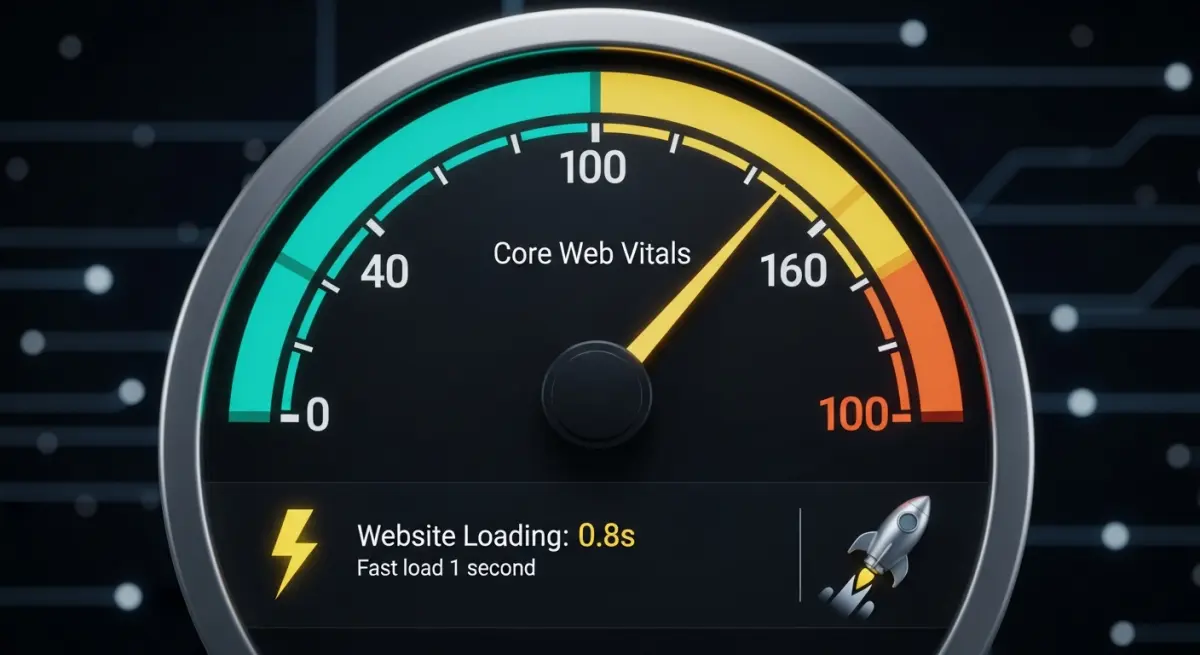
Core Web Vitals: The Three Numbers Google Watches
Google evaluates user experience through three metrics, and failing any of them creates a direct ranking disadvantage.
Largest Contentful Paint (LCP)
How quickly your main content becomes visible. Google wants this under 2.5 seconds. Anything above 4 seconds is categorized as "poor." Heavy images, slow servers, and render-blocking resources are the usual culprits.
Interaction to Next Paint (INP)
How fast your site responds when someone clicks, taps, or types. Target: under 200 milliseconds. I go deep on INP in my post about understanding INP for 2026 because it trips up more sites than people realize.
Cumulative Layout Shift (CLS)
How stable your page layout stays while loading. Target: under 0.1. Those annoying moments when a page jumps and you accidentally click an ad? That's layout shift, and Google measures it.
Server Side Rendering
SSR might be the single most impactful technical SEO decision available. When your site uses server side rendering, complete HTML content arrives in the browser's initial response. No waiting for JavaScript to build the page.
What that means practically:
- Google sees your full content immediately on first crawl
- LCP improves substantially because content exists in the HTML itself
- AI crawlers that can't execute JavaScript still read your full pages
- Your site functions even when JavaScript fails to load
I've written a detailed breakdown of why SSR is essential for ranking in 2026.
Schema Markup
Schema is structured data that tells search engines precisely what your content represents. In the AI search era, it matters even more because AI models rely on schema to understand businesses.
Every business site needs at minimum:
- WebSite schema: identifies your site and search functionality
- LocalBusiness schema: NAP, hours, services, service area
- Article schema: for each blog post and content page
- FAQPage schema: for FAQ content
- BreadcrumbList schema: for navigation structure
- Service schema: for each service offering
Site Security
Security isn't just about protecting customer data. It's a measurable SEO signal. I cover the full picture in my post about HTTPS, SSL, and trust signals.
Non-negotiable security requirements:
- HTTPS on every page with no mixed content warnings
- A current, properly configured SSL certificate
- Security headers including HSTS, Content Security Policy, and X-Frame-Options
- Periodic security scanning
Architecture That Search Engines Can Navigate
URL structure
Clean, descriptive URLs that reflect your content hierarchy. No random parameter strings or auto-generated IDs. A URL like /services/residential-plumbing communicates meaning to both humans and crawlers. /page?id=4827 communicates nothing.
Internal linking
Every important page should be reachable within three clicks from the homepage. Hub-and-spoke content models distribute authority from high-traffic pages to supporting pages. Contextual links within content help search engines map relationships between topics.
Navigation design
Labels should describe destinations clearly. Mobile navigation shouldn't bury critical pages behind multiple taps. Breadcrumbs on deeper pages give both users and crawlers a clear path back to the main sections.
Helping Crawlers Do Their Job
XML sitemap
Auto-generated, always current, submitted to Google Search Console. Include priority indicators and last-modified dates. Exclude pages you don't want indexed, like admin sections or duplicate content.
Robots.txt
Allow crawling of all important content. Block admin pages, API endpoints, and staging environments. Reference your sitemap so crawlers find it immediately.
Crawl budget management
Fix broken links and redirect chains. Remove or consolidate thin pages. Keep server response times fast. Every broken link or redirect chain wastes crawl budget that could be spent indexing your valuable pages.
Image Optimization
Images often account for 60 to 80 percent of total page weight. Proper optimization is one of the fastest ways to improve load times.
- WebP format: 25 to 35 percent smaller than JPEG at equivalent visual quality
- Responsive images: serve appropriate sizes for each device using srcset
- Lazy loading: images below the fold load only when scrolled into view
- Explicit dimensions: always specify width and height attributes to prevent layout shift
- Descriptive alt text: natural language descriptions for accessibility and SEO value
Mobile First Optimization
Google crawls and indexes the mobile version of your site exclusively. If something doesn't work on mobile, it doesn't exist in Google's assessment.
- Responsive design that adapts to any screen size without horizontal scrolling
- Touch targets at least 48px with adequate spacing between them
- Body text at minimum 16px so nobody has to pinch and zoom
- Fast loading on cellular networks, not just Wi-Fi
- No content hidden in ways that prevent mobile indexing
Ongoing Technical Monitoring
Technical SEO degrades over time if you're not watching. Site updates introduce new issues. Plugins conflict. SSL certificates expire. I maintain a continuous monitoring routine:
- Google Search Console: indexing status, crawl errors, Core Web Vitals trends
- PageSpeed Insights: regular performance checks, especially after any site changes
- Broken link monitoring: 404 errors caught and fixed quickly
- Security monitoring: certificate expiration alerts and vulnerability scanning
- Performance budgets: maximum thresholds for page weight, load time, and request count
Taming JavaScript Bloat
Heavy JavaScript is the single biggest technical SEO problem I encounter. Sites loading multiple analytics scripts, abandoned plugins, and third-party widgets that add hundreds of kilobytes for minimal value.
Cutting the fat
The best approach is auditing every JavaScript file on the site. If a script doesn't directly serve the user or the business objective, it goes. It's common to reduce pages from 3MB of JavaScript to under 500KB just by removing unused libraries and consolidating duplicate tracking scripts.
Optimizing the critical rendering path
The critical rendering path is the sequence of steps a browser takes to convert code into visible pixels. Optimizing it means:
- Inlining critical CSS so above-the-fold content renders without waiting for external stylesheets
- Deferring non-essential JavaScript to prevent it from blocking page rendering
- Preloading key resources like fonts and hero images
- Removing render-blocking resources from the document head
Optimizing the critical rendering path typically produces LCP improvements of 40 to 60 percent.
Advanced Structured Data Techniques
Beyond the essential schema types, there's a deeper layer that separates technically strong sites from average ones.
Entity linking with sameAs
The sameAs property connects your business entity across platforms: Google Business Profile, LinkedIn, Facebook, Yelp, industry directories. This helps search engines and AI models build a complete picture of who you are, strengthening your authority signals everywhere.
Nested schema for richer context
Instead of implementing schema types in isolation, I nest them together. An Article schema includes an author with Person schema, which includes worksFor pointing to Organization schema. This layered structure gives search engines a much richer understanding of your content and who created it.
Always validate
I test all structured data through Google's Rich Results Test and Schema.org's validator before anything goes live. Invalid schema confuses crawlers and creates inconsistent signals. It's worse than having no schema at all.
My Core Web Vitals Debugging Process
When a site fails Core Web Vitals, the best approach is a systematic process rather than trying random fixes.
Step 1: Identify what's actually failing
I start with CrUX (Chrome User Experience Report) data in Google Search Console to find which metric is failing on which pages. Field data from real users is always more trustworthy than lab tests from development machines.
Step 2: Reproduce in controlled conditions
Using Chrome DevTools Performance panel, I record page loads and interactions. The waterfall view shows exactly which resources block the page and where the delays stack up.
Step 3: Fix by impact, not alphabetically
A single render-blocking CSS file causing 1.5 seconds of delay gets fixed before optimizing an image that saves 200 milliseconds. Prioritizing by impact means the biggest wins come first.
Step 4: Confirm with real user data
After deploying fixes, I wait 28 days for CrUX data to reflect the changes. Lab improvements don't always translate to field improvements, and Google uses field data for ranking decisions.
Why Technical Excellence Compounds
Most businesses focus on content and backlinks because those feel more tangible. Write a blog post, get a link, see traffic move. Technical SEO feels invisible by comparison.
But that invisibility is exactly why it creates such a durable advantage. A technically excellent site with good content consistently outranks a technically mediocre site with great content. Every technical improvement builds on the last one. And once you've established that foundation, competitors have an extremely difficult time catching up because they can't just copy technical infrastructure the way they can copy content strategies.
Frequently asked questions
How do I know if my website has technical SEO problems?
Run your site through Google PageSpeed Insights and check Core Web Vitals in Google Search Console for the fastest diagnosis. If any metric falls in the "poor" range, technical issues are affecting your rankings.
For a thorough assessment, a full site audit using crawling tools like Screaming Frog catches broken links, missing schema, redirect chains, and indexing problems that surface-level tools miss.
Is technical SEO more important than content for rankings?
They're inseparable, but I think of technical SEO as the foundation that makes everything else work. Without a solid foundation, the interior design doesn't matter because the structure is unstable.
In practice, fixing technical problems on a site with decent content produces faster ranking improvements than creating outstanding content on a technically broken site.
How often should I do a technical SEO audit?
Run a full audit every quarter, with continuous monitoring of Core Web Vitals and crawl errors between audits. Any major site update, redesign, or platform migration should trigger an immediate full audit because these changes frequently introduce new technical problems that weren't there before.
Can I do technical SEO myself or do I need an expert?
Basics like compressing images, enabling HTTPS, and submitting a sitemap are within reach for most business owners, but deeper issues usually require professional help. Render-blocking resources, JavaScript optimization, schema implementation, and server configuration usually require professional expertise.
If your site speed is poor and you can't pinpoint why, bringing in someone who can diagnose the root cause quickly will save you months of guessing.
Every technical issue hiding beneath your site is silently costing you rankings, traffic, and customers. The longer these problems go undiagnosed, the harder they become to untangle.
Picture a site that loads instantly, passes every Core Web Vital, and gets crawled efficiently by both Google and AI platforms. That technical foundation turns every piece of content you publish into a ranking asset instead of wasted effort.
Want to find out where your site's technical SEO stands? Let's do an audit.
Want me to help with your SEO?
I help small businesses get found on Google. Let me show you what I can do for yours.
Let's talk