How Video Transcripts Boost Your SEO
Every video on your site is a missed SEO opportunity if it doesn't have a transcript. I explain how transcripts boost your rankings and why they matter.
Key Takeaways
- •Video transcripts give search engines indexable text content they can't get from video alone
- •Pages with video plus transcript rank for significantly more keywords than video-only pages
- •Transcripts improve accessibility, which is both a legal requirement and an SEO signal
- •AI Overviews frequently pull from transcript content when citing video-related topics
- •Auto-generated transcripts need manual editing because accuracy matters for SEO credibility
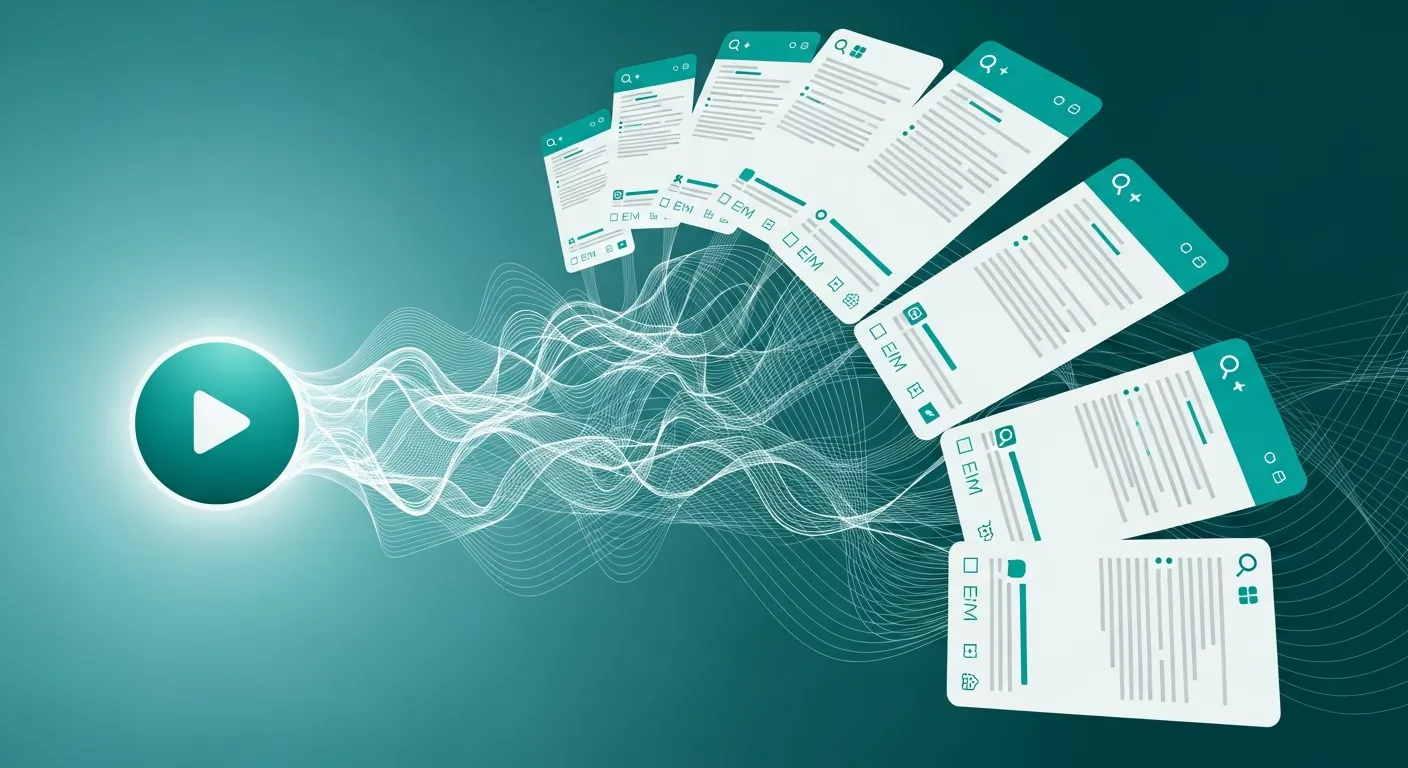
Imagine a physical therapist with four explainer videos on her service pages. Each one shows her demonstrating exercises and explaining recovery protocols for different injuries. The videos are solid. They keep visitors on her pages longer, and her bounce rate is low. But when you check keyword rankings, those pages are invisible for dozens of relevant search terms.
The problem is obvious once you dig in. Google cannot read the videos. All that valuable information spoken on camera, the specific exercises, the recovery timelines, the conditions treated, exists only as audio inside video files. None of it is text. None of it is indexable.
Adding edited transcripts to all four videos can change everything. Within weeks, those pages could start ranking for dozens of new keyword phrases. Dozens of new entry points to the website from content that had been sitting there the whole time, just locked inside a format search engines could not access.
This post is part of my Visual & Motion SEO guide series.
Why Search Engines Still Cannot Watch Your Videos
Google's AI has gotten better at interpreting video content over the years, but text remains the dominant signal for determining what a video covers and how to rank it. A transcript gives search engines a complete, word-for-word text version of everything spoken in your video.
Without a transcript, your video is an opaque asset. It contributes to engagement metrics like time on page, but it does not contribute to keyword rankings. With a transcript, that same video becomes rich, naturally worded content capable of ranking for dozens of related queries you never explicitly targeted.
What Transcripts Do for Your Rankings
They add substantial indexable content
A five-minute explainer video typically contains 700 to 900 spoken words. Publishing that as a transcript effectively doubles or triples the indexable content on a page that might otherwise have 400 words. That volume increase alone changes how search engines evaluate the page's topical depth and comprehensiveness.
They include keywords naturally
When you talk about your services on camera, you naturally use the terms and phrases your customers search for. Nobody keyword-stuffs while talking. You explain things the way a person explains things. Transcripts capture that natural language, including long-tail variations you would never think to deliberately write into a blog post.
They keep more visitors on the page
Not everyone wants to watch a video. Some visitors are at work with their volume muted. Some prefer reading. Some are in a noisy coffee shop. The transcript gives those visitors an alternative way to consume the same information, keeping them on your page instead of bouncing.
They open doors to AI Overview citations
Google's AI Overviews pull from transcript text when answering related queries. Businesses get cited in AI Overviews specifically because their transcript contains a clear, concise answer to a common question. My post about getting cited in AI Overviews goes deeper on this.
Creating Transcripts That Actually Work
Start with auto-generation, then edit manually
YouTube's auto-captions, Descript, Otter, and similar tools give you a reasonable first draft. But auto-generated output is never ready to publish as-is. Error rates run 5 to 15%, meaning a 1,000-word transcript could have 50 to 150 mistakes. Some are minor punctuation errors. Others are completely wrong words that confuse readers and search engines alike.
Budget 20 to 30 minutes editing every auto-generated transcript. It is a small investment for a massive quality difference.
Format for readability
A wall of unbroken text helps no one. Break your transcript into:
- Paragraphs aligned with natural topic shifts in the video
- Headings that match the video's logical sections
- Bold text highlighting key points or definitions
- Timestamps for longer videos so readers can jump to specific moments
Label speakers
If your video features multiple people, an interview format or a client testimonial, identify who is speaking. This adds context for human readers and gives search engines additional structural signals about the content.
Keep the transcript on the same page as the video
The transcript belongs directly on the page where the video lives. Putting it on a separate URL splits the SEO value. When transcript and video share a single page, search engines connect all the text content to the video and credit everything to one URL.
Accessibility Is Not Optional
Beyond SEO, transcripts fulfill legal accessibility requirements. The ADA requires video content to be accessible to people who are deaf or hard of hearing. Transcripts and closed captions satisfy this requirement.
Google explicitly considers accessibility in its quality evaluations too. A site that makes content accessible to all users sends a trust signal that contributes to overall ranking potential. This is not just about doing the right thing (though it is that). It directly supports your search visibility.
Linking Transcripts to Schema Markup
When you add a transcript to a video page, enhance your schema markup by including the transcript property within your VideoObject structured data. This explicitly tells search engines that a text version exists and where to find it. The result is stronger indexing and higher eligibility for video-rich search results.
Mining Long-Tail Keywords From Your Own Words
One of the most underappreciated benefits of transcripts is their impact on long-tail keyword targeting.
Conversational patterns live in your spoken words
Think about how someone actually searches for information about, say, water heater repair. They do not type "water heater repair benefits." They type "why does my water heater keep running out of hot water in the morning?" When a plumber speaks naturally about that exact issue in a video, the transcript captures those conversational patterns perfectly.
Based on industry data, adding transcripts typically generates rankings for 15 to 30 additional long-tail phrases per page. Every one of those is a new way someone can discover the website through a search they were already performing.
Transcripts reveal future content ideas
After editing a transcript, scan it for questions that surfaced naturally, tangents worth expanding into standalone posts, and topics deserving deeper coverage. A single 10-minute video often yields ideas for three or four blog articles. This creates a flywheel: videos produce transcripts, transcripts surface keyword opportunities, those opportunities become new content, and new content attracts fresh traffic.
Transcripts and LLM Visibility
With ChatGPT, Claude, and other AI tools gaining users rapidly, transcripts have taken on entirely new importance. These language models process text far more effectively than video or audio. When your transcript sits on the page alongside the video, it gives LLMs a detailed text source to reference when generating answers to user questions.
Why language models favor transcript content
LLMs train on text. They cannot watch videos. But they can read a transcript and extract your expertise, your specific recommendations, and the concrete claims you make. When someone asks an AI assistant "how should I optimize video for search engines?" the model is far more likely to reference a page combining video with a full transcript than a page showing only an embedded player with no supporting text.
Structuring transcripts for AI citation
To improve the chances of AI tools referencing your transcript:
- Use clear section headings within the transcript that correspond to common questions
- Include specific numbers and data because language models prioritize concrete facts when generating citations
- Write a summary paragraph at the top stating the core takeaway
- Keep statements direct rather than buried in meandering, multi-clause sentences
This approach aligns with how AI Overviews select sources, prioritizing clarity, specificity, and structured information.
Transcript Mistakes That Undermine Your SEO
Publishing raw auto-generated output
Unedited transcripts contain wrong words, missing punctuation, and garbled sentences. Search engines encounter this low-quality text and it actively damages your page's perceived quality. Spending 20 to 30 minutes on cleanup is non-negotiable.
Hiding transcripts behind collapsible elements
Some sites tuck transcripts into accordion sections or tabs to keep the design clean. The risk is that content behind interaction-triggered elements may receive reduced indexing weight. I recommend displaying at least the first several paragraphs visibly, with an expand option for the remainder.
No structure or formatting
A transcript dumped as a single block of text is difficult to read and provides fewer structural signals to search engines. Adding timestamps, speaker labels, and section headings transforms raw text into a navigable resource. Structured transcripts also improve the odds of Google generating jump-to-section links in results.
Forgetting internal links
Your transcript naturally mentions topics you have written about elsewhere. Every time you edit a transcript, add internal links to related blog posts and service pages. This distributes authority, improves crawlability, and keeps visitors moving through your site.
The Transcript Workflow
The process to follow for every video:
- Record or receive the finished video
- Generate an initial transcript using auto-captioning
- Manually edit for accuracy, grammar, and readability
- Format with headings, paragraphs, and timestamps
- Add the formatted transcript below the video embed on the page
- Update VideoObject schema to include the transcript property
- Submit the page URL in Google Search Console for re-crawling
Total added time per video: 30 to 45 minutes. The SEO return compounds over months and years.
Measuring What Transcripts Actually Deliver
Metrics worth tracking
- Keyword rankings per page: Use Google Search Console to compare how many queries each page ranks for before and after adding the transcript
- Organic traffic growth: Track page-level traffic changes over the 4 to 8 weeks following transcript publication
- Average position shifts: Look for improvements in ranking positions for existing keywords
- New keyword discoveries: Identify which long-tail phrases your page starts ranking for
- Engagement metrics: Compare bounce rate, time on page, and scroll depth before and after
What results to expect
Adding a well-formatted, properly edited transcript to a video page can produce a 20 to 40% increase in organic impressions within 6 to 8 weeks. Traffic increases tend to be more modest, 10 to 25%, because many new rankings target lower-volume long-tail queries. But those queries convert at meaningfully higher rates because they represent specific, high-intent searches.
Across a site with 10 to 20 videos, the cumulative impact of transcript optimization can generate 15 to 30% total organic traffic growth. For the amount of work involved, that is an exceptional return.
Frequently asked questions
Should I use a professional transcription service or auto generated captions?
Auto-generated captions provide a usable first draft, but they always require manual editing before publication. If your budget allows, professional services like Rev or Descript produce cleaner starting material that saves editing time. Either way, you will need to review and format the output.
The formatting step, adding headings, timestamps, and internal links, is where the bulk of the SEO value gets created.
Where should I place the transcript on my page?
Place the transcript directly below the video embed on the same page. The video should remain the primary visual element visitors encounter. The transcript serves as a supporting text resource underneath.
I add a brief "Full Transcript" label with an anchor link near the video so visitors know the text version is available without scrolling. This keeps the layout clean while keeping the transcript accessible to both users and crawlers.
How long does a video need to be before adding a transcript helps SEO?
Any video over 60 seconds benefits from a transcript. Even a 90-second explainer generates 150 to 200 words of indexable content, enough to meaningfully contribute to keyword coverage. For videos shorter than 60 seconds, a brief summary paragraph achieves a similar effect.
The sweet spot is 3 to 7 minute videos, which produce 400 to 1,000 words of transcript text, sufficient to substantially boost the page without overwhelming the layout.
Can a video transcript make my page too long for Google?
No, Google does not penalize pages for length when the content is relevant and useful. A transcript is inherently relevant because it is a direct text rendering of the video content already on the page. The potential issue is formatting, not length.
A well-structured transcript with headings, timestamps, and speaker labels enhances the page. A poorly formatted wall of auto-generated text can hurt user experience, but that is a formatting failure, not a length problem.
Every video without a transcript is valuable expertise locked inside a format search engines cannot read. You are sitting on content that could rank for dozens of keywords, and none of it is working for you.
Picture each video on your site pulling in organic traffic from long-tail searches you never explicitly targeted, with AI tools citing your transcript content as a trusted source. That is the compounding return transcripts deliver.
Want to maximize the SEO impact of your video content? Let's talk about building a video SEO strategy.
Want me to help with your SEO?
I help small businesses get found on Google. Let me show you what I can do for yours.
Let's talk