3 Simple A/B Tests Any Business Can Run
You don't need a data science team to run A/B tests. I share simple experiments that Denver businesses can run to improve their website's.
Key Takeaways
- •A/B testing removes guesswork by letting real visitor behavior determine what works best
- •Businesses should start with high-impact, easy-to-test elements like headlines and CTA buttons
- •You need enough traffic to reach statistical significance, typically 200 to 500 conversions per variation
- •Testing one element at a time produces clear, actionable insights
- •Even simple tests like changing button text or headline wording can produce 20 to 40 percent improvements
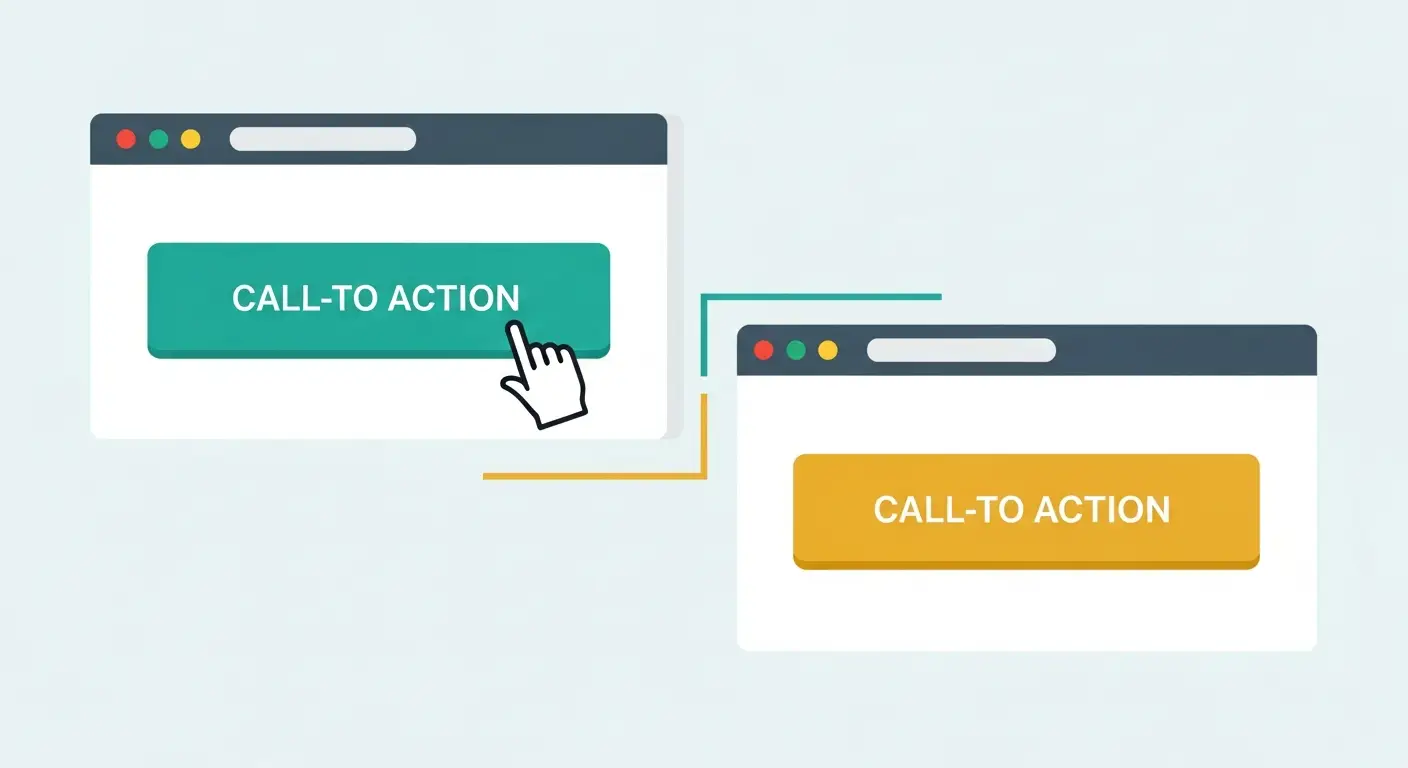
Imagine changing three words on a button and earning double-digit extra leads in a single month. The button says "Submit." You change it to "Get My Free Estimate." Same page. Same design. Same traffic source. Just three different words, and form completions jump significantly.
That is A/B testing in its simplest form, and it remains the most reliable method I know for improving a website's performance without guessing.
This post is part of my Analytics series.
What A/B testing actually involves
You show two versions of something to different visitors and measure which one performs better. Half of your traffic sees Version A (your current page). The other half sees Version B (the page with one element changed). After enough people have visited both, the numbers tell you which version wins.
It is the scientific method applied to your website. Opinions and gut feelings get replaced with data.
Five high-impact elements worth testing
Not everything on your website matters equally for conversions. The best approach is starting with the elements that directly influence whether visitors become customers, because those produce the biggest returns for the least effort.
1. CTA button text
The words on your primary button carry disproportionate weight. Test variations that shift the perceived value:
- "Get a Free Quote" vs. "See My Pricing"
- "Call Now" vs. "Talk to Me Today"
- "Schedule a Consultation" vs. "Book a Free Call"
Specificity usually wins. "Get My Free SEO Audit" outperforms "Submit" almost every time because it tells the visitor exactly what they receive.
2. Homepage headline
Your headline is the first thing visitors read, and many bounce within seconds if it does not grab them. Test different angles:
- Problem-oriented: "Tired of Being Invisible on Google?"
- Outcome-oriented: "More Customers from Google Search"
- Specificity-oriented: "I Help Denver Businesses Rank on Page One"
3. Form length
Does removing a field increase completions? Test a four-field form against a three-field form. Industry data consistently shows fewer fields equals more submissions. People are protective of their information, and every additional field gives them a reason to bail.
4. Page layout
Does positioning the contact form on the right side versus the left affect completions? Does placing a testimonial directly next to the form lift conversions? Layout changes are easy to test and can produce meaningful differences.
5. Imagery
Does a photo of you on-site performing your service outperform a stock photo? Does a project result photo beat a headshot? Professional headshots often lose to casual behind-the-scenes photos because they feel more authentic.
Running a test step by step
Pick one variable
Only change one thing at a time. If you swap the headline, button text, and layout simultaneously, you have no way of knowing which change made the difference.
Set up two versions
Version A is your existing page, the control. Version B is identical except for the one element you are testing. Everything else stays the same.
Split your traffic
Use a testing tool to automatically serve Version A to half your visitors and Version B to the other half. Tools range from free options to paid plans under $50 per month.
Wait for statistical significance
This is the step that trips up most business owners. They see Version B performing better after a few days and declare victory. That is not how statistics work. You need enough data for the result to be reliable.
Aim for at least 200 to 500 conversions per variation before drawing conclusions. For a site with moderate traffic, that might take three to six weeks. Patience is non-negotiable.
Implement the winner and move on
Once the data clearly favors one version, make it permanent. Then pick the next element to test.
What to do when traffic is low
Business sites sometimes get 500 or fewer visitors per month. Reaching statistical significance with those numbers can take months per test.
Alternatives that still beat guessing:
Sequential testing
Run Version A for a full month, then switch to Version B for a full month. Compare the results. It is less rigorous than simultaneous testing because external factors like seasonality can influence the data, but it still gives you directional insight.
Heatmap analysis
Instead of testing two page versions, install a heatmap tool to see how visitors interact with your current page. This reveals specific problems to fix without requiring large sample sizes.
Qualitative user feedback
Ask five to ten actual customers to visit your site while you watch, either in person or via screen share. Have them narrate their thought process. "I am looking for pricing but I cannot find it" or "I do not know what this button does" gives you actionable insights that quantitative testing would take months to surface.
Tests that reliably produce wins
Industry testing data consistently shows which changes move the needle for service businesses:
- Adding a phone number to the header: Increases calls by 15 to 30 percent for service businesses where phone leads matter
- Cutting form fields from five to three: Boosts submissions by 20 to 40 percent across almost every industry tested
- Using specific numbers in headlines: "We have helped 47 Denver businesses rank on page one" outperforms "We have helped many businesses" because specificity builds credibility
- Placing testimonials near CTAs: Lifts conversions by 10 to 25 percent by reducing anxiety right at the decision point
- Making CTA buttons physically larger and higher contrast: Increases clicks by 15 to 30 percent, especially on mobile
What not to waste your time testing
Cosmetic tweaks that do not affect decisions
Testing whether your logo should be slightly larger or your footer text should be a different shade of gray wastes time and traffic. Focus on elements that influence whether someone contacts you or leaves.
Multiple changes at once
Redesigning an entire page is not a test. It is a gamble. Test one change, measure the impact, then test the next. Systematic single-variable testing creates compounding gains over time.
Trivially different variations
"Get Started" versus "Get Started Now" is unlikely to produce a detectable difference. Test variations that are meaningfully different in message, positioning, or value proposition.
Free and low-cost testing tools
You do not need enterprise software.
VWO free tier
VWO offers a free plan that handles basic A/B tests for sites with up to 50,000 monthly visitors. The interface is clean and setup is straightforward.
Posthog
Posthog has a generous free tier with built-in A/B testing plus analytics. I like it for businesses that want testing and event tracking in one platform.
Microsoft Clarity plus manual variations
For very small sites, you can combine the free heatmap and session recording features of Microsoft Clarity with manual page variations. It is more hands-on but costs nothing.
WordPress plugins
If your site runs on WordPress, plugins like Nelio A/B Testing and Split Hero let you create and run tests without touching code. They handle traffic splitting automatically and show clear winner/loser reports.
Built-in platform tools
Many landing page builders like Unbounce and Instapage have native A/B testing. Even email platforms like Mailchimp let you test subject lines, which is a low-risk way to start building a testing habit.
My recommendation for anyone starting out: pick the simplest free tool available and test your primary CTA button text first. Get comfortable with the process before investing in anything more sophisticated.
Building a habit of testing
A single test is useful. A sustained testing practice is transformational. Small improvements compound over months.
Create a testing roadmap
Building a prioritized list of tests, ranked by expected impact and ease of implementation, keeps the process structured. High-impact, easy tests go first. Work through the list one at a time, implementing winners and moving to the next experiment.
A typical roadmap for a local service business:
- CTA button text on homepage (2 to 3 weeks)
- Homepage headline (3 to 4 weeks)
- Contact form length (3 to 4 weeks)
- Testimonial placement near CTAs (2 to 3 weeks)
- Service page layout (4 to 6 weeks)
Log every test
Record what you tested, which variations you used, how long the test ran, the sample size, and the outcome. This log becomes your playbook over time. It reveals patterns about what your audience responds to and prevents you from accidentally repeating tests you have already resolved.
Frame results in business terms
A 15 percent improvement in form submissions might sound modest. But if you receive 100 submissions per month and your average deal is worth $2,000, that is 15 additional leads and up to $30,000 in potential revenue from a single button text change. Framing results in dollar terms keeps you motivated to keep testing.
A/B testing and SEO considerations
Some business owners worry that running tests might hurt their search rankings. A few quick facts to ease that concern.
Google explicitly supports testing
Google has stated publicly that A/B testing does not violate their guidelines, provided you are not cloaking content (showing different material to Googlebot than to real visitors). Standard testing tools handle this correctly by default.
Canonical tags keep you safe
If your testing tool creates separate URLs for each variation, verify that canonical tags point to the original page. Most modern tools manage this automatically. JavaScript-based testing, which modifies content on the same URL, avoids the issue entirely.
Be careful testing SEO-critical elements
You can safely test headlines, button text, images, and layouts. Be cautious about testing H1 tags, meta titles, or URL structures because those directly influence rankings. If you need to test these, keep the test short and monitor Google Search Console data closely during the test period.
Frequently Asked Questions
How many visitors do I need to run an A/B test?
As a rough benchmark, you need about 5,000 visitors per variation to detect a meaningful improvement on a page converting at 3 percent. The required traffic depends on your current conversion rate and the improvement size you want to detect. For business sites with 1,000 to 2,000 monthly visitors, sequential testing or heatmap analysis is often more practical.
The critical rule: never stop a test early. Premature conclusions are worse than having no data because they can lead you to implement a change that is not actually better.
Should I A/B test mobile and desktop versions separately?
When possible, yes, because mobile and desktop visitors often behave in fundamentally different ways. A CTA that converts well on desktop might underperform on mobile due to button size, screen layout, or thumb-reachability. Most A/B testing tools let you segment results by device.
If traffic allows, device-specific tests deliver much sharper insights. If traffic is limited, prioritize whichever device represents the majority of your visitors.
How long does an A/B test need to run for valid results?
I run every test for at least two full weeks, even if statistical significance arrives sooner. This accounts for day-of-week variations in visitor behavior. Some industries see distinctly different patterns on weekdays versus weekends.
Beyond the two-week floor, keep running until you hit at least 95 percent statistical confidence. For most business sites, expect three to six weeks per test.
What does it mean when my A/B test shows no winner?
A "no difference" result is still useful because it tells you that element is not a meaningful conversion lever. You can cross it off your list and test something else. It is also worth reevaluating the variations themselves. If "Get a Free Quote" and "Request a Free Quote" produced identical results, the specific wording is not the issue.
Time to test something more fundamentally different, like the value proposition, the form placement, or the page structure. Inconclusive results are a normal and frequent part of the testing process.
Without testing, every change you make to your website is a guess. You could be leaving thousands of dollars in potential revenue on the table because of a button label or headline that quietly repels the people you are trying to reach.
Now imagine knowing, with data, exactly which words, layouts, and offers your visitors respond to best. Picture each small improvement compounding month after month until your site converts at twice the rate it does today.
Want help identifying what to test on your website? Let's talk. I will analyze your current site and recommend the experiments most likely to make a measurable difference.
Want me to help with your SEO?
I help small businesses get found on Google. Let me show you what I can do for yours.
Let's talk